Copy the image, not its filename.
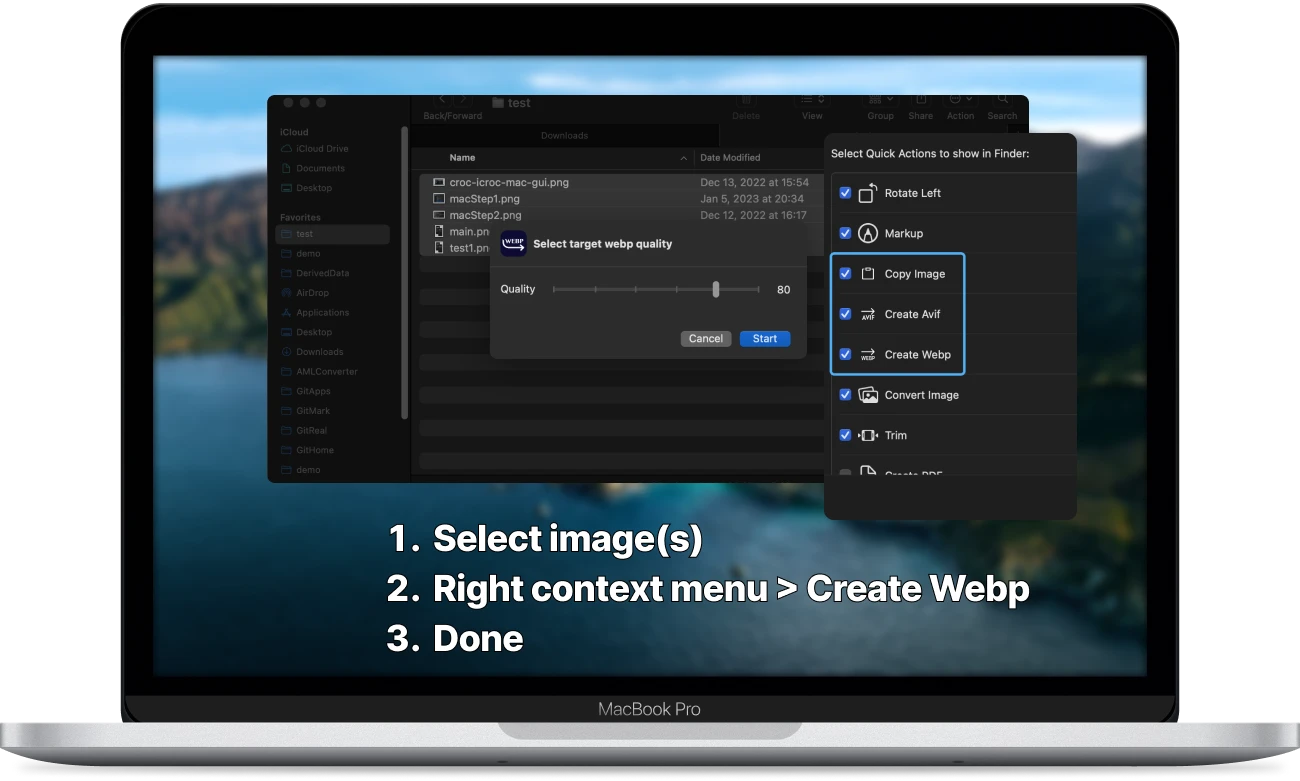
Copy selected images from Finder and paste them directly into any app.

 Image Kit
Batch-convert, resize, rename, watermark, and copy images directly in macOS Finder. Files stay on your Mac.
Batch-convert, resize, rename, watermark, and copy images directly in macOS Finder. Files stay on your Mac.
Copy selected images from Finder and paste them directly into any app.
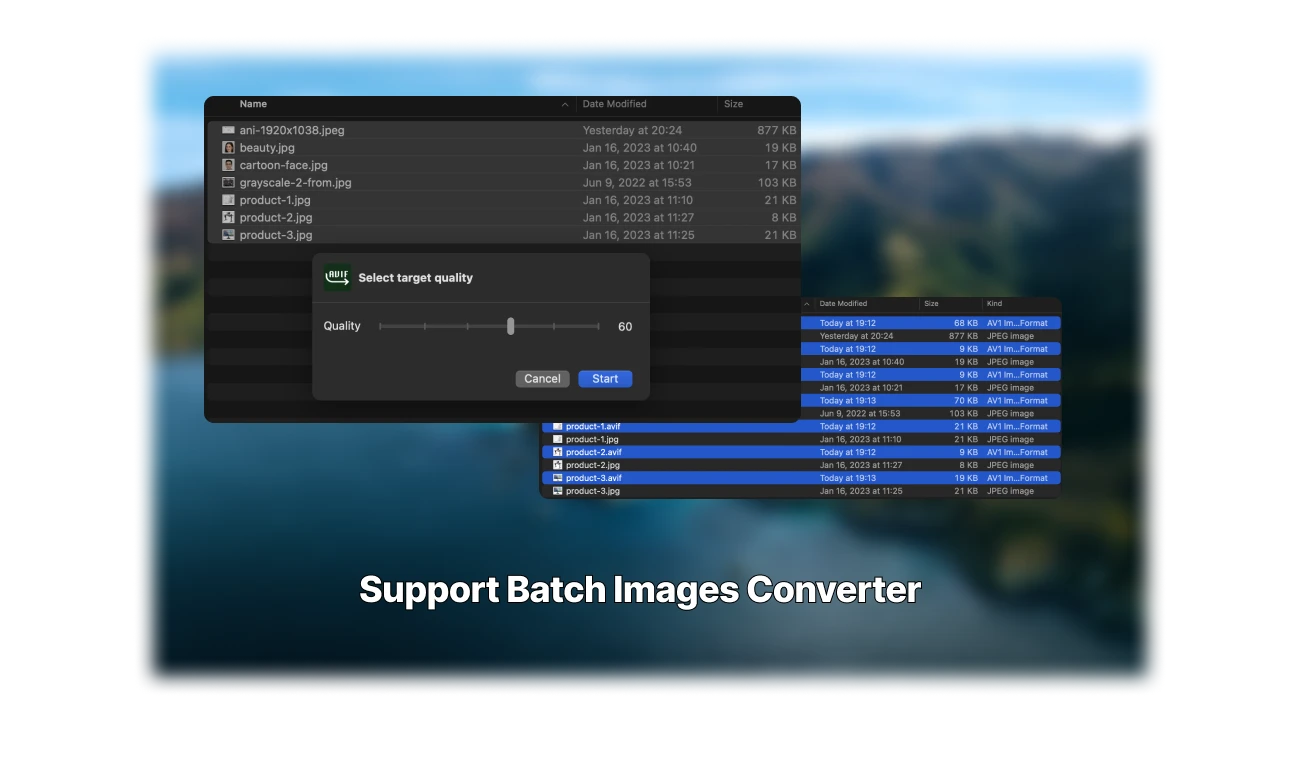
Convert folders of images to WebP or AVIF with adjustable quality.
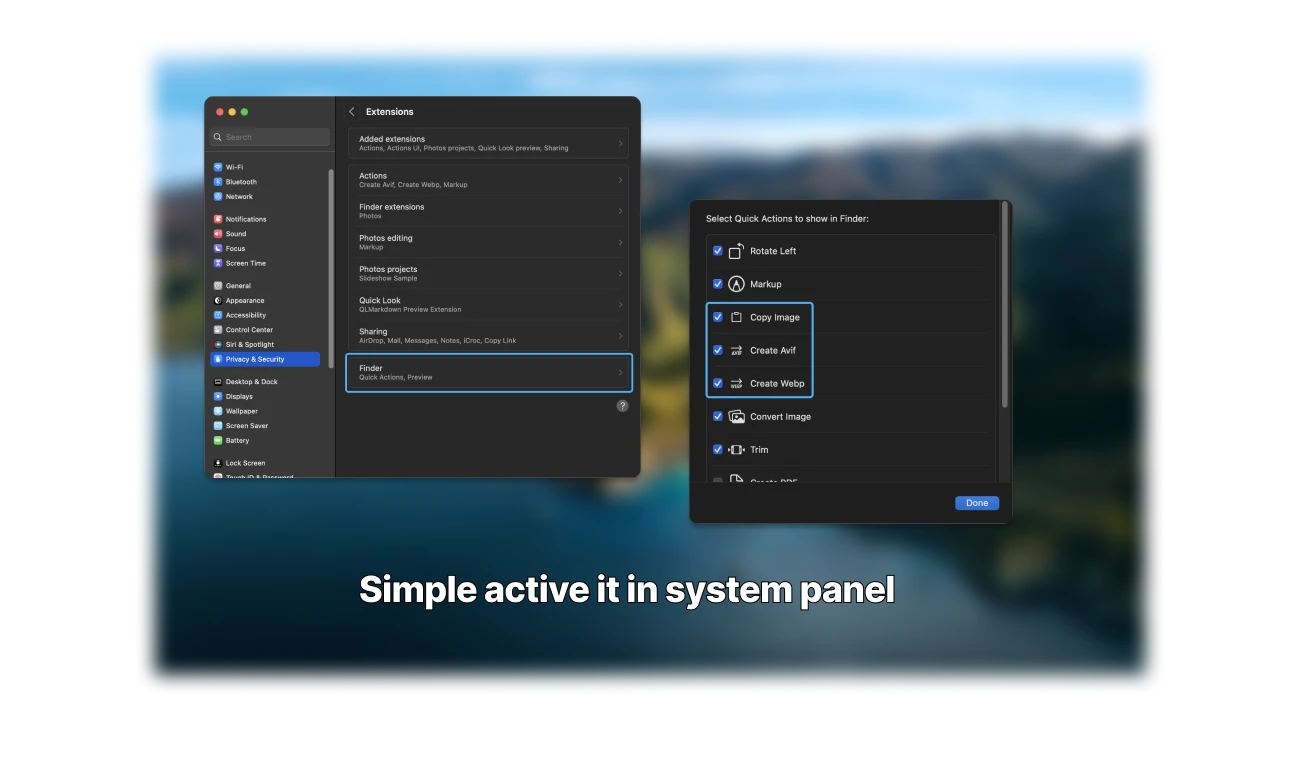
Use Image Kit from the Finder context menu without opening a separate workspace.
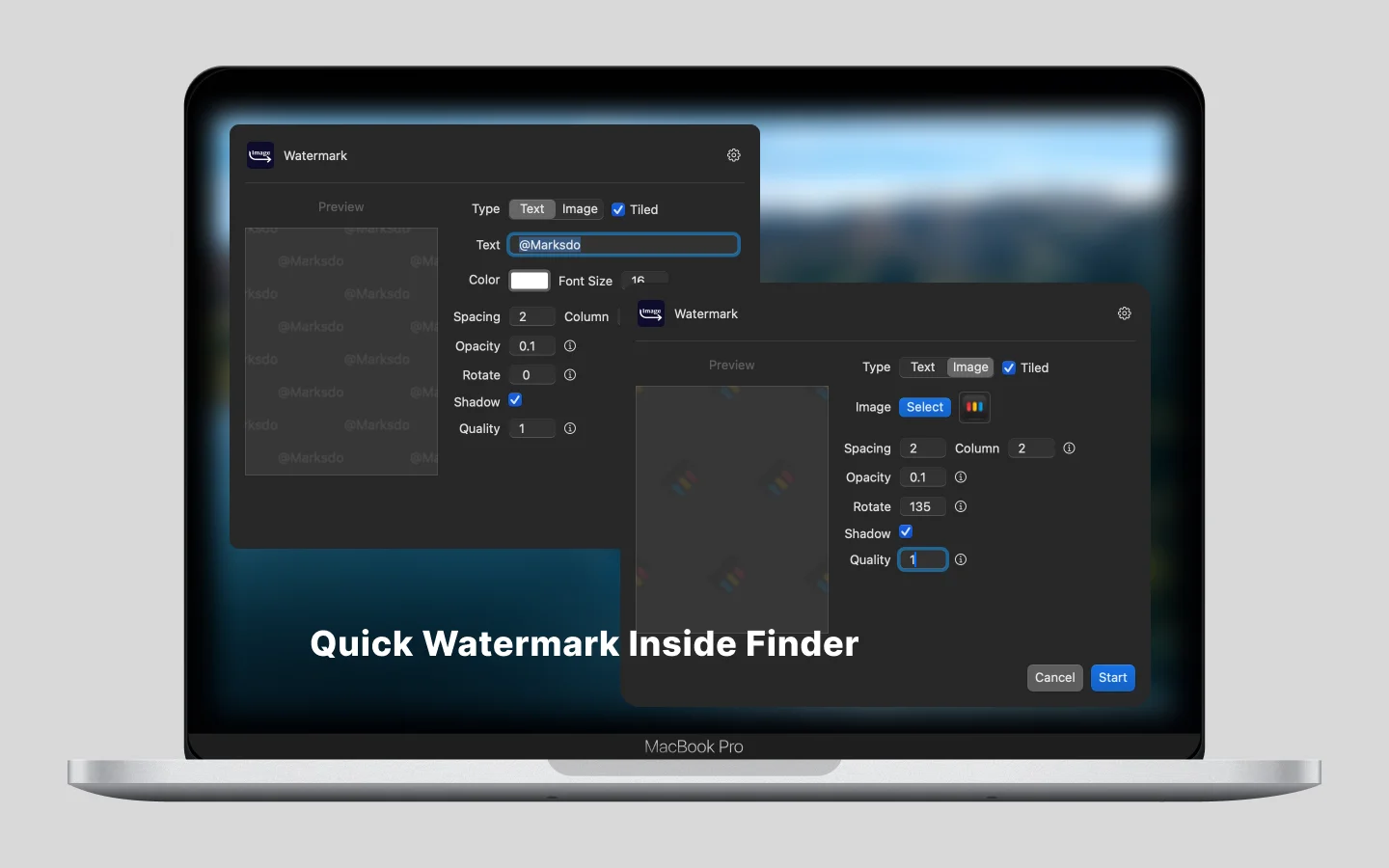
Apply text or image watermarks with controls for spacing, rotation, opacity, and shadow.
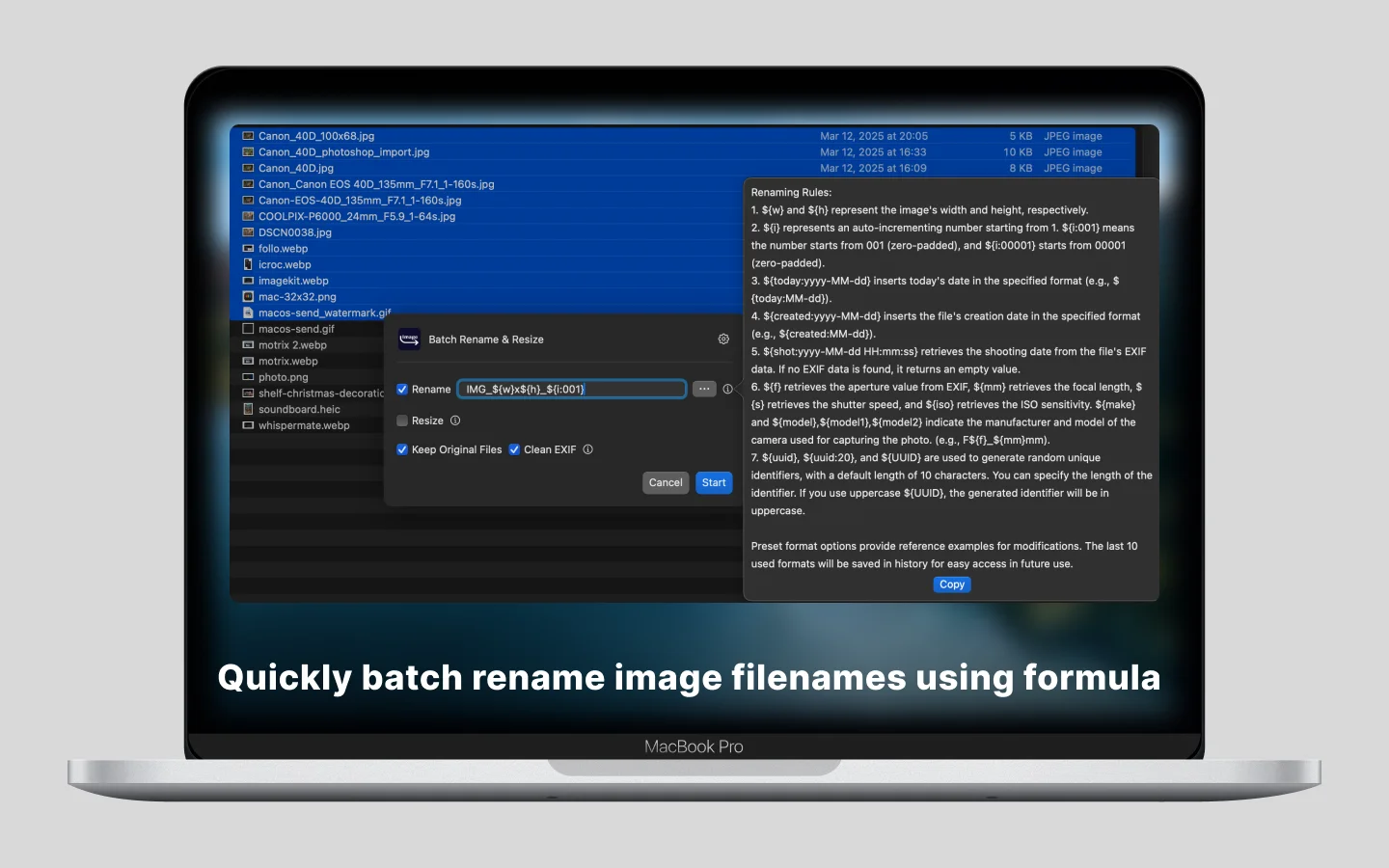
Create filenames from dimensions, sequences, dates, EXIF data, and custom text while resizing.